
Open Browser - Smart & Safe
AdPulse INCTools
4.82.78K Reviews
- Version
- 2.1.0
- Installs
- 10.00M
- Age Rating
- Everyone
Screenshots



Our Review of Open Browser - Smart & Safe
 Analysis by Appyee
I tend to judge a mobile browser by what happens during ordinary, slightly messy use: opening a link from a message, checking a page while another app is waiting, and returning later without losing my place. Open Browser - Smart & Safe is a free tools app from AdPulse INC, and its appeal is straightforward: it aims to make getting online feel simple rather than turning the browser itself into a project. I would consider it if I wanted a separate, uncomplicated place for everyday browsing, but I would not assume that a clean presentation alone makes it the best choice for every browsing habit.
What a fast browser should feel like
Speed is more than a dramatic first page load. In practice, I care about whether a browser responds promptly when I open a result, whether I can move between a few pages without losing track, and whether it remains comfortable when I return to a tab after a short interruption. Those are useful expectations to bring to Open Browser: its stated focus is quick, straightforward browsing, but real page speed can still depend on the site, connection, and phone. I would judge it over a normal day rather than one unusually fast launch.
For a quick lookup, a local news page, or a shopping detail opened from a chat, a browser that stays out of the way can be more valuable than one packed with advanced controls. The trade-off is that people who want detailed performance settings or a heavily tailored browsing setup may prefer an established browser whose controls and workflow they already know. I would start with the tasks I actually do on my phone, not with the promise of speed in isolation.
A practical everyday routine
Imagine receiving a message with a link while you are comparing two errands or checking a bus timetable. You open the page, read what you need, and switch back to the message. The useful test is whether the page remains easy to find when you return and whether the browser makes that small task feel uncomplicated. For this sort of quick, occasional browsing, a focused tool can be a sensible alternative to using a full-featured browser full of settings you rarely touch.
A small habit helps with any mobile browser: close pages that were only needed for a one-off task, and keep the pages you genuinely plan to revisit easy to identify. That reduces tab clutter and makes it less likely that an old search result will be mistaken for the page you meant to keep. I also avoid treating a browser as a filing cabinet; if a page matters, I save its details somewhere I can reliably find them rather than relying on an open tab to remain there indefinitely.
When browsing gets heavier
Heavy use is where expectations need to stay realistic. A few pages for research, a long article, and a video opened alongside other phone tasks can put more pressure on a device than a single search. Even a browser that feels responsive for light browsing can behave differently when pages are media-rich or when the phone has many apps active. I would try the actual mix I care about—rather than assume that opening several tabs proves how it will handle every workload.
If a page seems sluggish, I first check whether the same site is slow in another browser and whether the connection is behaving normally. That simple comparison helps separate a browser issue from a website or network issue. If the browser closes or a page disappears, reopening the site from its address or search is often more dependable than expecting an interrupted session to restore itself exactly as it was. For work that depends on keeping many pages intact, I would use a browser whose recovery and tab-management behavior I have already tested.
Privacy claims and sensible habits
Privacy matters most when it changes what I do, not just what a browser says. I would avoid entering sensitive information on unfamiliar pages, check that the address belongs to the service I intended to visit, and be cautious about links sent unexpectedly. Those habits remain worthwhile regardless of which browser I use. A browser can be one part of safer browsing, but it does not make every page trustworthy or remove the need to think before sharing personal details.
For someone choosing between this app and a familiar mainstream browser, the key question is whether a lighter, more direct routine matters more than continuity with an existing setup. If bookmarks, passwords, history, and open pages are already organized in another browser, moving may create friction unless the new app fits a specific need. I would not switch my whole browsing life just to try a different interface; I would test it with ordinary, nonessential searches first and decide whether it earns a place on the home screen.
How the app fits into everyday browsing
From the moment I launched Open Browser - Smart & Safe, I was struck by its clean interface. It’s not overloaded with unnecessary buttons or flashy graphics. This minimalistic design makes navigation a breeze, especially for those of us who just want to get online without any fuss. The layout is intuitive, and setting up was quicker than brewing a cup of coffee.
Performance and Speed
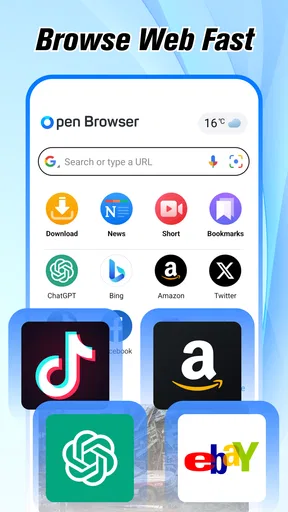
Now, let’s talk speed. This browser is like a cheetah on caffeine. Pages load swiftly with hardly any lag. I tested it by opening multiple tabs and streaming videos, and it handled everything without breaking a sweat. If you’re tired of browsers that slow down when multitasking, this one might be your new best friend.
That positive impression is useful, but I would still separate a smooth session from a guarantee that every demanding page will behave the same way. A video site, a page crowded with scripts, and a simple text article make very different demands. If you often keep a large set of tabs open, check whether your own device remains comfortable after using the browser for a while; the number of pages and their content can matter as much as the browser itself.
Privacy Features
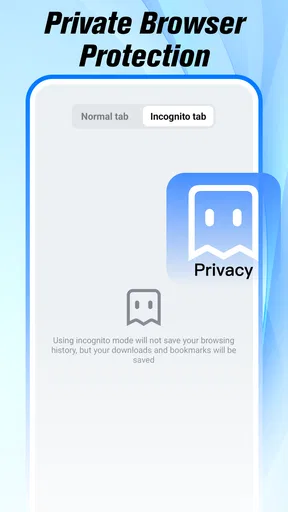
Privacy is a big deal these days, and Open Browser - Smart & Safe doesn’t disappoint. It comes equipped with robust security features that keep your browsing safe. There’s a built-in ad blocker, which is a godsend for those tired of constant pop-ups. Plus, the anti-tracking technology ensures your data stays private, which is a huge relief in a world where every click seems to be tracked.
Ad blocking can make cluttered pages easier to read, but it can also change how some sites display or function. If a page looks incomplete, I would consider whether blocking is affecting it before assuming the site itself is broken. For anything involving payments or an account, I still check the page carefully and use the service’s own security practices; a browser’s privacy tools are helpful, not a substitute for sound judgement.
Customization Options
If you love tweaking things to your liking, you’ll appreciate the customization options available. You can adjust themes, add extensions, and even organize your bookmarks just the way you like them. It’s flexible without being overwhelming, which is perfect for both tech enthusiasts and casual users alike.
Customization is most useful when it solves a repeat annoyance. I would change the appearance only if it makes pages easier to use, and organize bookmarks around tasks I revisit—such as a reference page or a regular service—rather than saving every interesting result. Before relying on extensions for a particular workflow, I would test that workflow on the sites I use most; a feature is only valuable if it works smoothly in those everyday situations.
Compatibility and Integration
I’m an Android user, and I found the integration seamless. It syncs beautifully with my other devices, making it easy to pick up where I left off, whether I’m on my phone or tablet. I haven’t tested it on iOS, but from what I hear, the experience is just as smooth, which is great news for all the Apple fans out there.
The app is currently at version 1.6.7 and requires Android 8.0 or later, so checking the operating-system requirement is a practical first step before installing it on an older phone. Its age rating is Everyone. I would also distinguish between using a browser on more than one device and depending on a particular cross-device routine: if your daily work relies on seamless handoff, test that exact routine before moving important tasks over. People who mainly browse on one phone may care much less about that distinction.
Who is likely to get the most from it?
I see the strongest fit for someone who wants a simple browser for searches, reading, and links opened from other apps, without making browser management a hobby. It may also suit a person who wants to try a different browsing tool without paying for the download. Open Browser has an average rating of 4.7 from around 147,000 ratings, and it has passed 5 million installs, which suggests that many people have given it a try. Those figures are useful context, but they cannot tell me whether it matches a particular person’s workflow.
I would be more cautious if I depended on a carefully maintained collection of tabs, a specialized browser setup, or a consistent routine across several devices. In those cases, the familiar browser that already holds your habits may be the better tool, even if it feels less minimal. The same goes for people who want to inspect technical details before trusting a browser with sensitive work: they should choose based on the controls and documentation they personally need, not simply on a reassuring name.
Choosing between a focused browser and familiar alternatives
Compared with the usual alternatives, the decision is less about which browser is universally fastest and more about what you value day to day. A mainstream browser can be a better fit if you already depend on its account-based continuity and established routine. A simpler option can feel less distracting if your needs are mostly opening pages, reading, and moving on. I would keep both installed temporarily if I were uncertain, then use each for the same ordinary tasks before deciding which one deserves to stay.
One practical way to compare them is to repeat a short routine: open a page from a message, search for a related answer, leave the browser to check another app, and return to the page. Notice whether you can find your place without extra effort. Then try a page with video or a long article, because those reveal different frustrations than a quick search. This is more useful than judging a browser by its first screen alone, and it avoids moving bookmarks or changing habits before you know whether the switch helps.
Reliability, device limits, and the final call
For reliability, I value predictability more than a perfect first impression. If a page is important, I keep its address or bookmark somewhere sensible and avoid assuming that every interrupted session will return exactly as I left it. That is especially helpful when a phone is low on available resources or when several demanding apps are open. If browsing begins to feel less responsive, closing pages I no longer need and reopening the task can be a straightforward check before I blame the browser.
Open Browser is free, which makes trying it an easy decision for curious users, but free does not automatically mean it should replace a tool that already serves you well. The developer is AdPulse INC, and the app belongs to the tools category; what matters more to me is whether its uncomplicated approach fits the way you actually browse. If you mainly need quick access to everyday pages, it is worth a practical trial. If your priority is a complex, dependable multi-device workflow, I would compare those specific needs against your current browser before making the switch.
Overall, Open Browser - Smart & Safe offers a balanced mix of speed, security, and simplicity. It’s perfect for anyone looking for a browser that doesn’t get in the way of browsing. Whether you’re a casual surfer or someone who lives online, it’s definitely worth checking out. Ready to give it a try? You can find it on the Google Play Store and Apple App Store. Happy browsing!
Verdict
Strengths of Open Browser - Smart & Safe
- Fast and responsive browsing experience.
- Efficient ad-blocking feature.
- User-friendly interface design.
- Supports multiple tabs smoothly.
- Customizable privacy settings.
Limitations of Open Browser - Smart & Safe
- Lacks some advanced features.
- Occasional crashes reported.
- Limited extension support.
- Requires access to device data.
- No dark mode option available.
Similar Picks in This Category
View All
Google LLC4.0

Gboard - the Google Keyboard
Google LLC4.5

Google Play services
Google LLC4.3

Google Play Store
Google LLC4.9

Files by Google
Google LLC4.5

SHAREit: Transfer, Share Files
Smart Media4U Technology Pte.Ltd.4.3
Frequently Asked Questions
What features make Open Browser - Smart & Safe stand out from other browsers?
Open Browser - Smart & Safe offers a unique combination of features that prioritize user safety and smart browsing. It includes advanced ad-blocking capabilities, a built-in VPN for secure connections, and customizable privacy settings. Additionally, the app provides a user-friendly interface with quick access to your favorite sites and a robust search engine for efficient browsing.
How does Open Browser - Smart & Safe ensure my online security?
The app incorporates several security measures to protect users online. It features a built-in VPN that encrypts your internet connection, safeguarding your data from potential threats. The browser also includes phishing protection and warns users about malicious websites. These features work together to create a secure browsing experience.
Is Open Browser - Smart & Safe compatible with both Android and iOS devices?
Yes, Open Browser - Smart & Safe is available for both Android and iOS platforms. This cross-platform compatibility ensures that users can enjoy a consistent and secure browsing experience across different devices. The app is optimized for performance on both operating systems, offering seamless functionality whether you're on a smartphone or tablet.
Does Open Browser - Smart & Safe support extensions or add-ons?
Currently, Open Browser - Smart & Safe supports a range of extensions and add-ons to enhance the browsing experience. Users can install popular extensions that improve productivity and customize their browsing. However, the app maintains strict security protocols to ensure that any installed extensions do not compromise user safety or privacy.
How does the ad-blocking feature in Open Browser - Smart & Safe work?
The ad-blocking feature in Open Browser - Smart & Safe is designed to provide a cleaner and faster browsing experience. It automatically detects and blocks intrusive ads, pop-ups, and trackers, reducing page load times and enhancing privacy. Users can customize which ads to block, allowing for a tailored browsing experience while maintaining control over their data.
